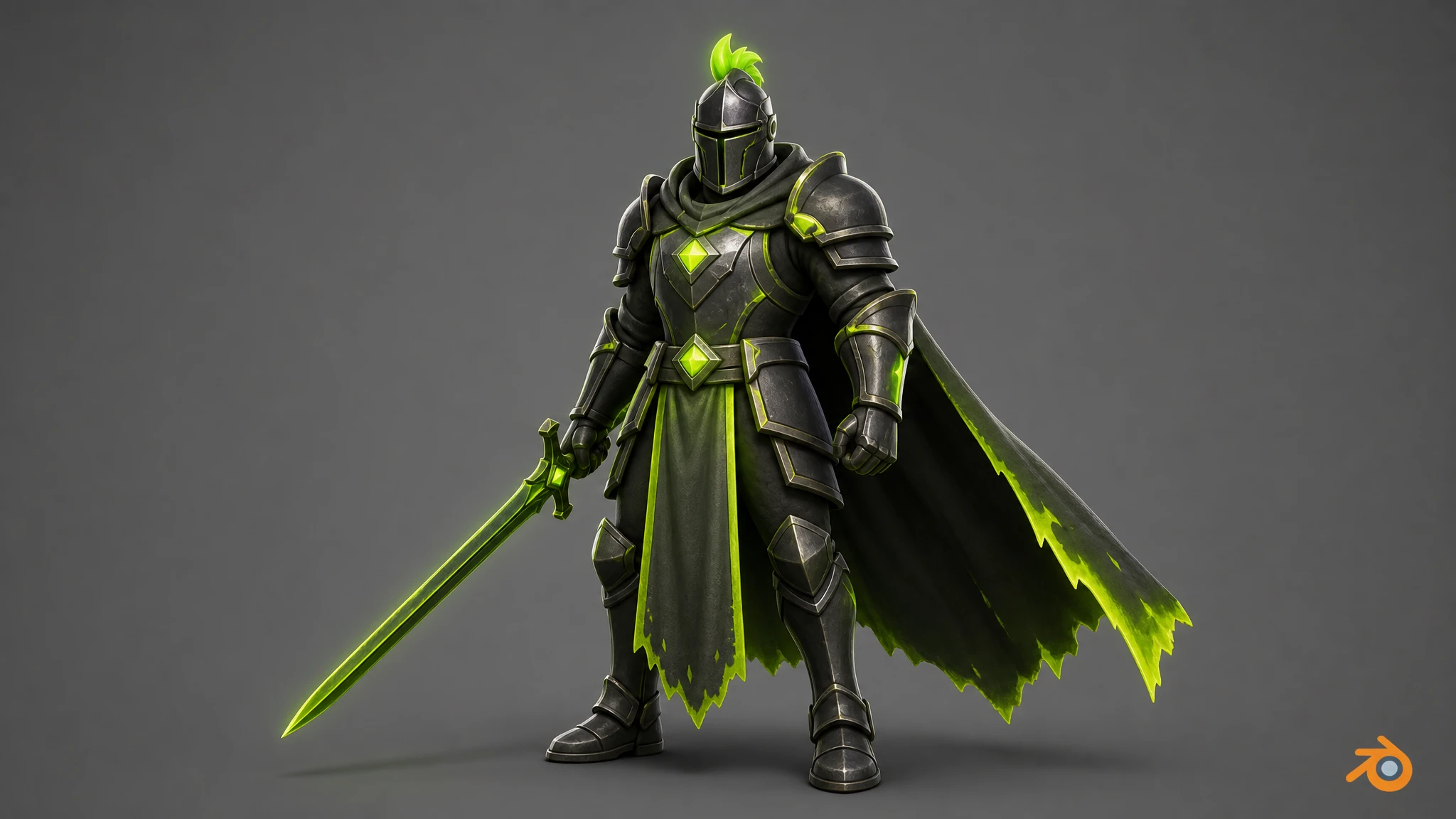
01What is Rapid Assets?
Rapid Assets is a free Blender plugin that turns text prompts into production-ready images and fully-textured 3D models, then imports them directly into your Blender scene. Install it as a standard add-on, sign in, and generate without ever leaving Blender.
Type what you need and finished assets land straight in your scene automatically: images available to import with one click, 3D models imported as fully-textured meshes ready to rig, animate, or render. Generation runs in the Rapid Assets cloud, so your machine stays fast.
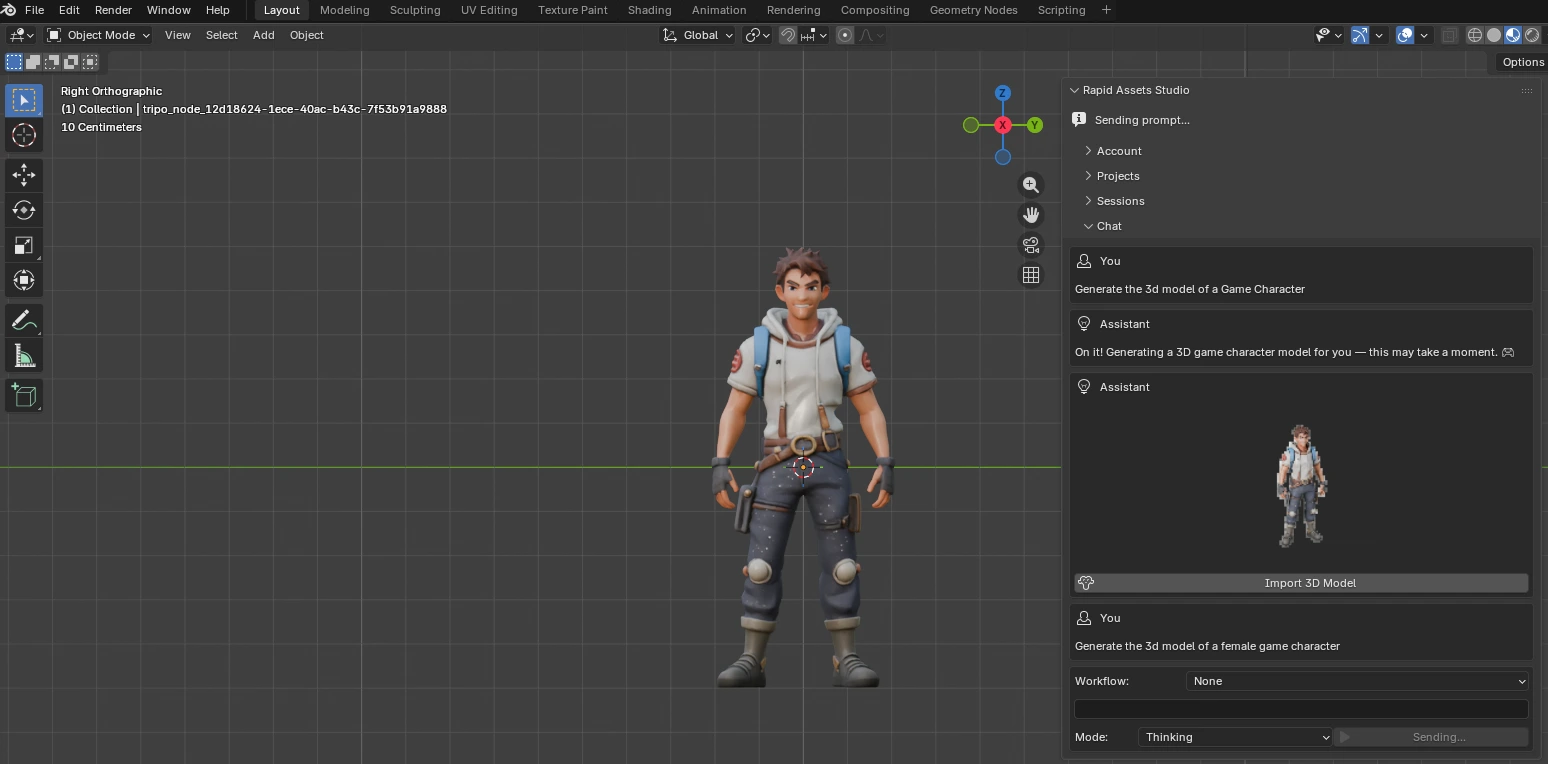
Text-to-3D in the scene
A full game character generated from text and imported directly into your scene.
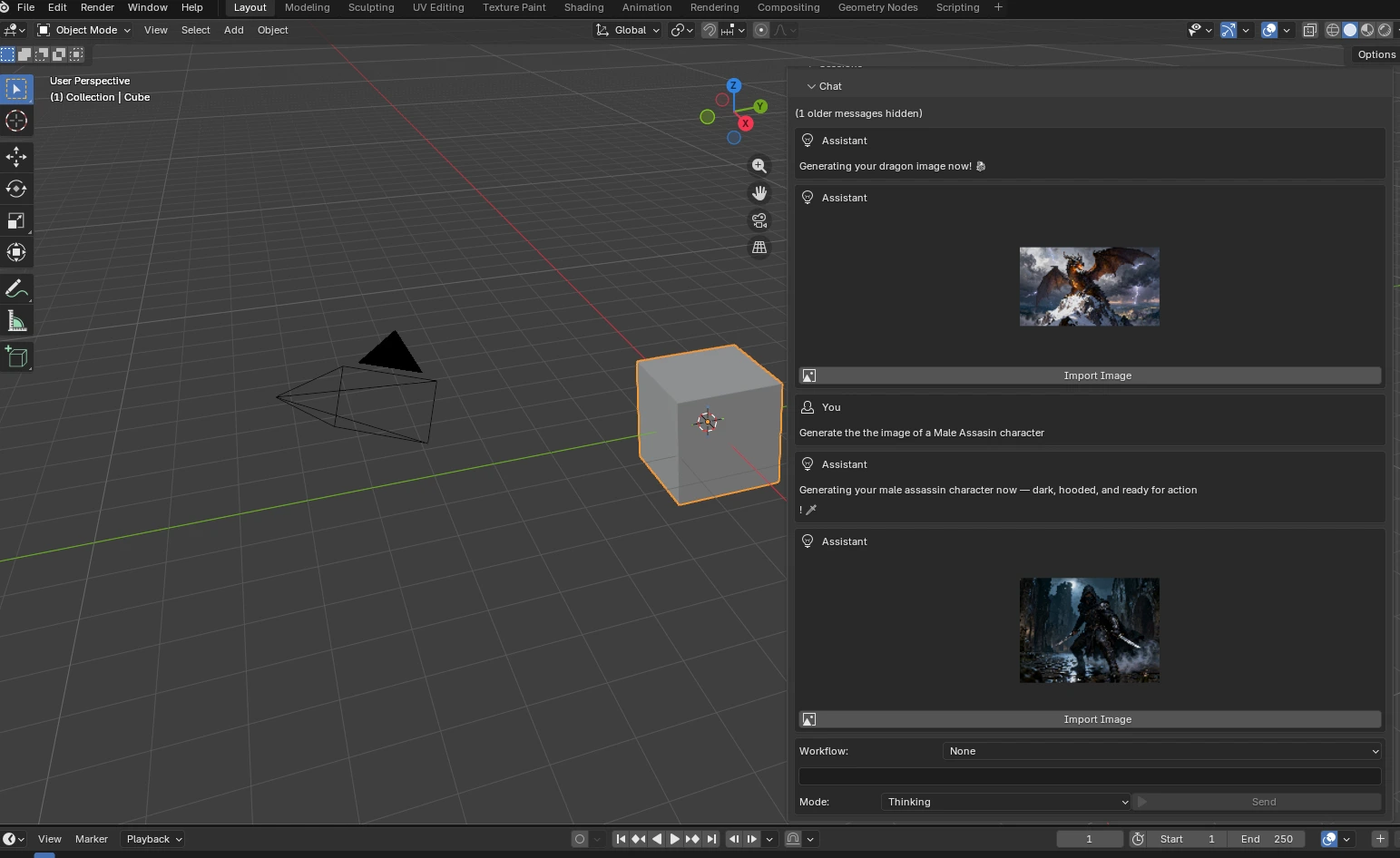
Image generation in the panel
Describe your character and it generates inside the plugin panel, right in Blender.
02How it works
The entire pipeline is designed so that you only ever do the creative part. Here is what happens from prompt to placed asset:
Describe it
What happens: you type a prompt (or pick a workflow) in the Rapid Assets Studio panel inside Blender and choose Thinking or Fast mode. Why it matters: natural language replaces hours of asset hunting. You describe exactly what your project needs.
Generate in the cloud
What happens: the plugin securely sends your request to the Rapid Assets backend, where GPU generation runs. Why it matters: the heavy compute happens off your machine, so Blender stays fast and responsive.
Stream live progress
What happens: generation status streams back in real time via server-sent events, with automatic polling as a fallback. Why it matters: you always see exactly where each job stands.
Import to your scene
What happens: the moment a job completes, the asset downloads. Click Import 3D Model to add it to your scene as a GLB mesh with auto-applied textures and materials. Why it matters: no Downloads folder, no manual material wiring.
Use it in Blender
What happens: the imported mesh is ready to rig with Rigify, animate in the NLA editor, or render in Cycles or EEVEE. Why it matters: idea to in-scene asset with zero extra steps.
03Requirements: check before you install
Make sure your setup is covered before following the install steps. If you're on Blender 4.2 or newer with an internet connection, you're good to go.
| Supported Blender versions | Blender 4.2 LTS and above, including Blender 5.x |
|---|---|
| Plugin type | Standard Blender add-on. Installs from a .zip via Preferences ▸ Add-ons; no build step |
| Supported platforms | Windows 10/11, macOS, and Linux |
| Import formats | 3D models as GLB with auto-applied Principled BSDF materials · Images as PNG |
| Account | A free Rapid Assets account to sign in |
| Hardware | Any machine running Blender. Generation is cloud-based, so no high-end local GPU is required |
| Internet connection | Required for cloud generation; import and scene access is local |
04Install the plugin, step by step
Rapid Assets installs like any standard Blender add-on, straight from the downloaded .zip. Already have a Rapid Assets account? It works across all plugins. New here? Create a free account first, then follow the five steps below.
Download the zip
Download Rapid-Assets-Blender-PRODUCTION.zip from the Rapid Assets website and save it somewhere easy to find. Do not unzip it. Blender installs add-ons directly from the .zip.
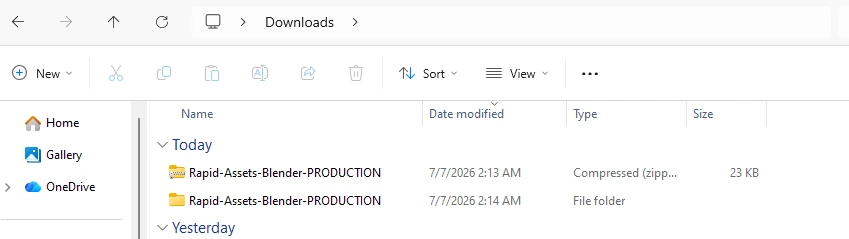
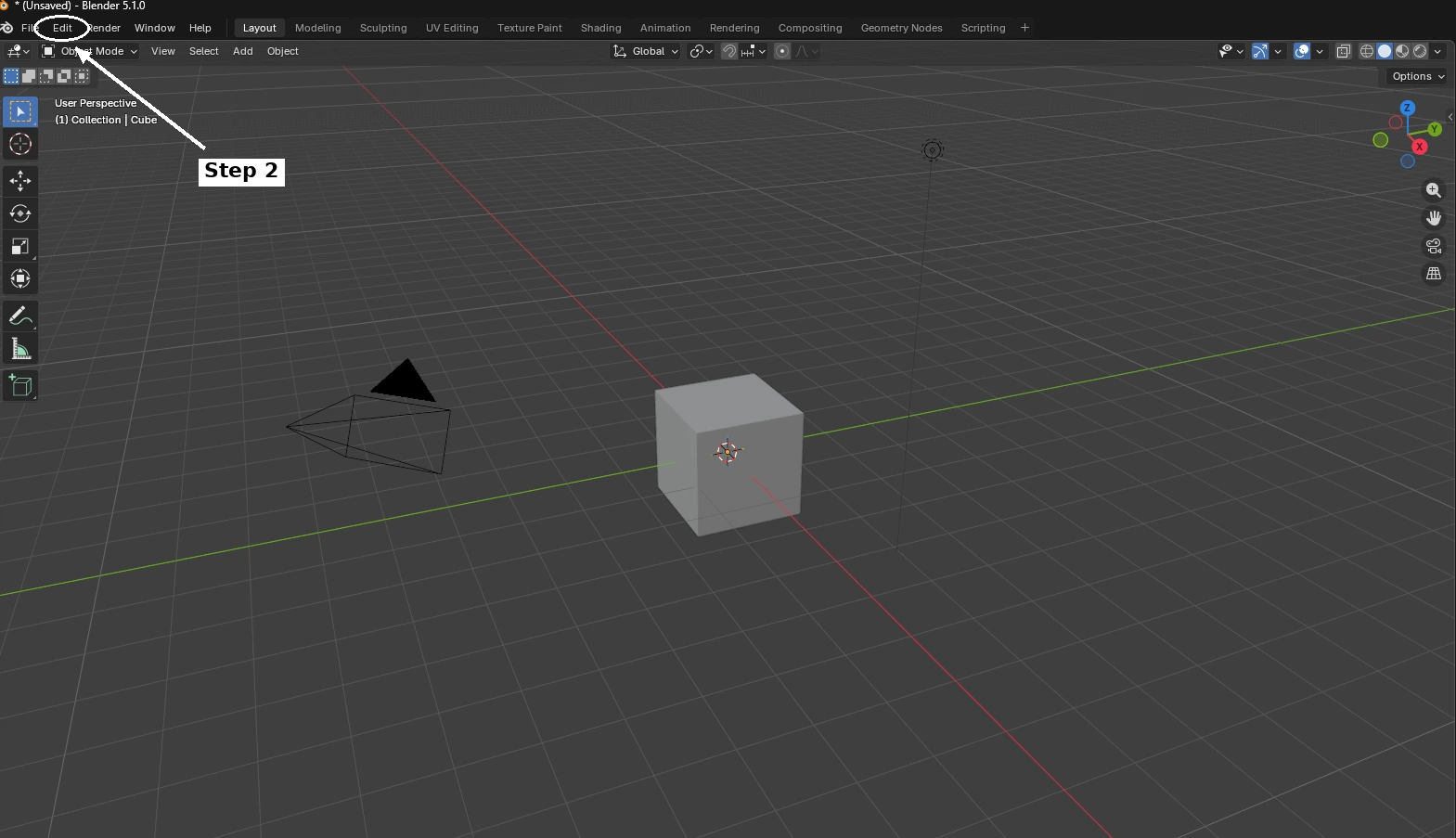
Open Blender and go to Edit
Open Blender (4.2 or later). In the top-left menu bar, click Edit.
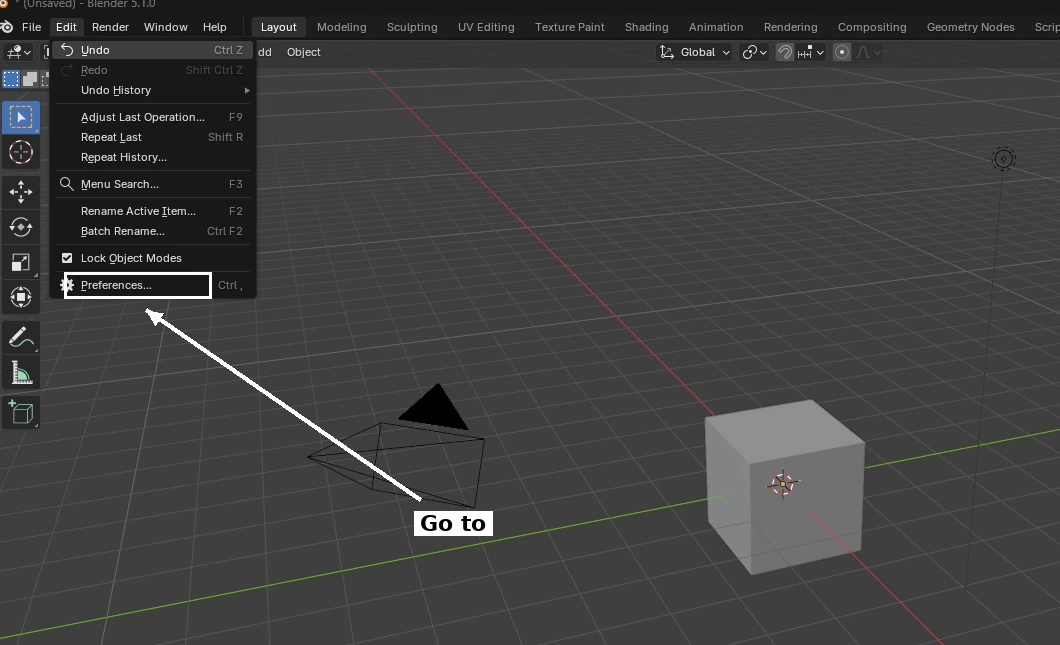
Open Preferences
From the Edit dropdown, click Preferences… to open the Blender Preferences window.
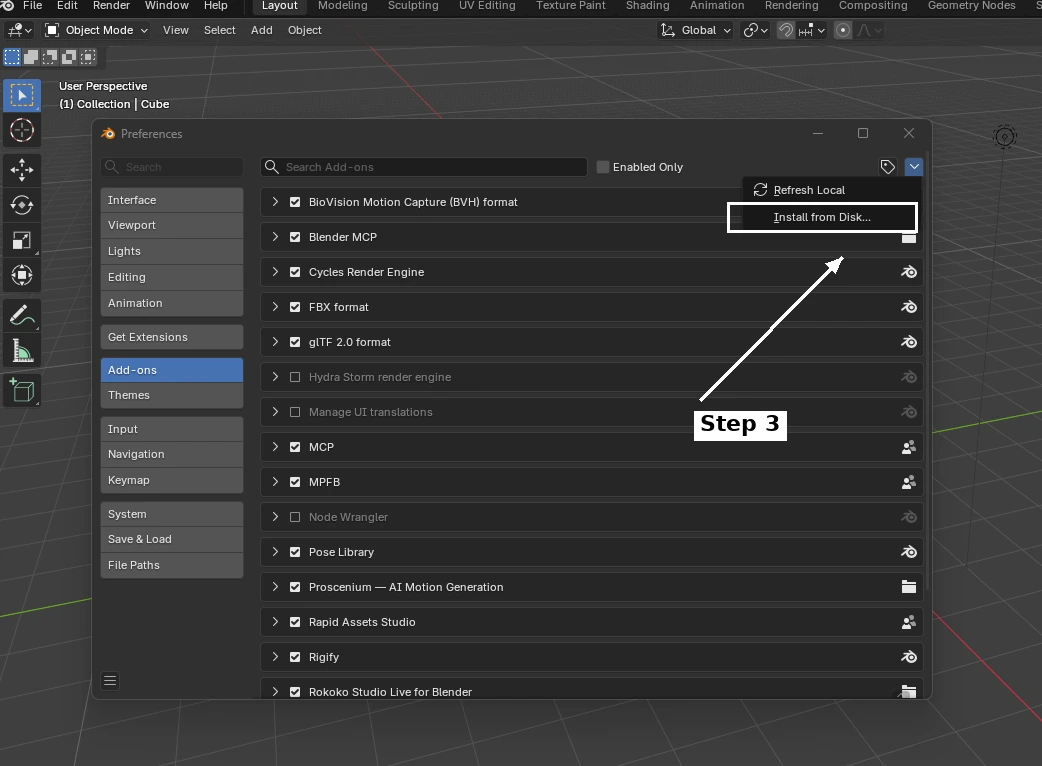
Install from Disk
In the Preferences window, click Add-ons in the left sidebar. Then click the dropdown button in the top-right corner and select Install from Disk… Navigate to the downloaded .zip file and confirm.
Enable Rapid Assets Studio
Find Rapid Assets Studio in the add-ons list and tick the checkbox to enable it. Then press N in the 3D Viewport to open the side panel; the Rapid Assets Studio tab appears on the right. Sign in and start generating.
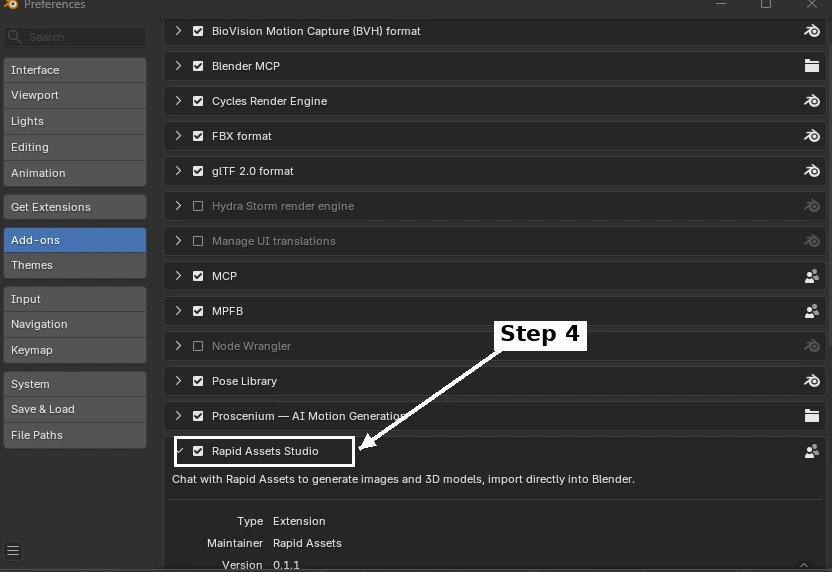
Tip: after enabling, press N in the 3D Viewport to toggle the side panel open. Look for the "Rapid Assets Studio" tab heading on the right edge of the panel.
05Your first asset in 60 seconds
With the plugin enabled and signed in, generating your first asset takes under a minute:
Pick a project
In the Rapid Assets Studio panel, select an existing project or create a new one. Projects keep your generations organized and sync with the web app.
Describe what you need
Type a prompt, e.g. "a stylized health potion bottle, glowing red liquid, game prop", choose Thinking or Fast mode, and hit Send. Progress streams back live.
Import with one click
Click Import 3D Model (or Import Image). The mesh appears in your scene with textures and materials applied. Rig it, animate it, or render it right away.
06Key features
Everything you need to generate, import, and use assets without leaving Blender.
Text-to-3D
Turn a prompt into a fully-textured 3D mesh that imports directly into your current Blender scene with materials applied.
Text-to-Image
Generate high-resolution concept art, textures, UI images, and backgrounds from a text description, right in the panel.
6 Pro Workflows
Purpose-built pipelines for character turnarounds, pose sheets, background removal, image variations, and more.
One-Click Import
Generated 3D models import as GLB meshes with textures and materials applied. Place them anywhere in your scene.
Auto Material Setup
Textures are automatically assigned to Principled BSDF materials on import. No manual UV or material wiring required.
Reveal in FileSystem
Instantly locate any generated asset in your file system. One click opens the folder with your files.
Real-Time Streaming
Live generation progress streams back via server-sent events so you always see exactly where each generation stands.
Projects & Sessions
Organize work into projects and persistent chat sessions inside the panel. Pick up exactly where you left off.
Thinking & Fast Modes
Thinking mode for richer, more detailed results; Fast mode for rapid iteration and quick concept exploration.
07Text-to-3D generation, inside Blender
Type a description in the Rapid Assets Studio side panel, choose your workflow, and hit Send. A fully-textured 3D model generates in the cloud and streams back. Click Import 3D Model to add it to your Blender scene, complete with materials, ready to rig, animate, or render. Every model below was generated with Rapid Assets, directly inside Blender.
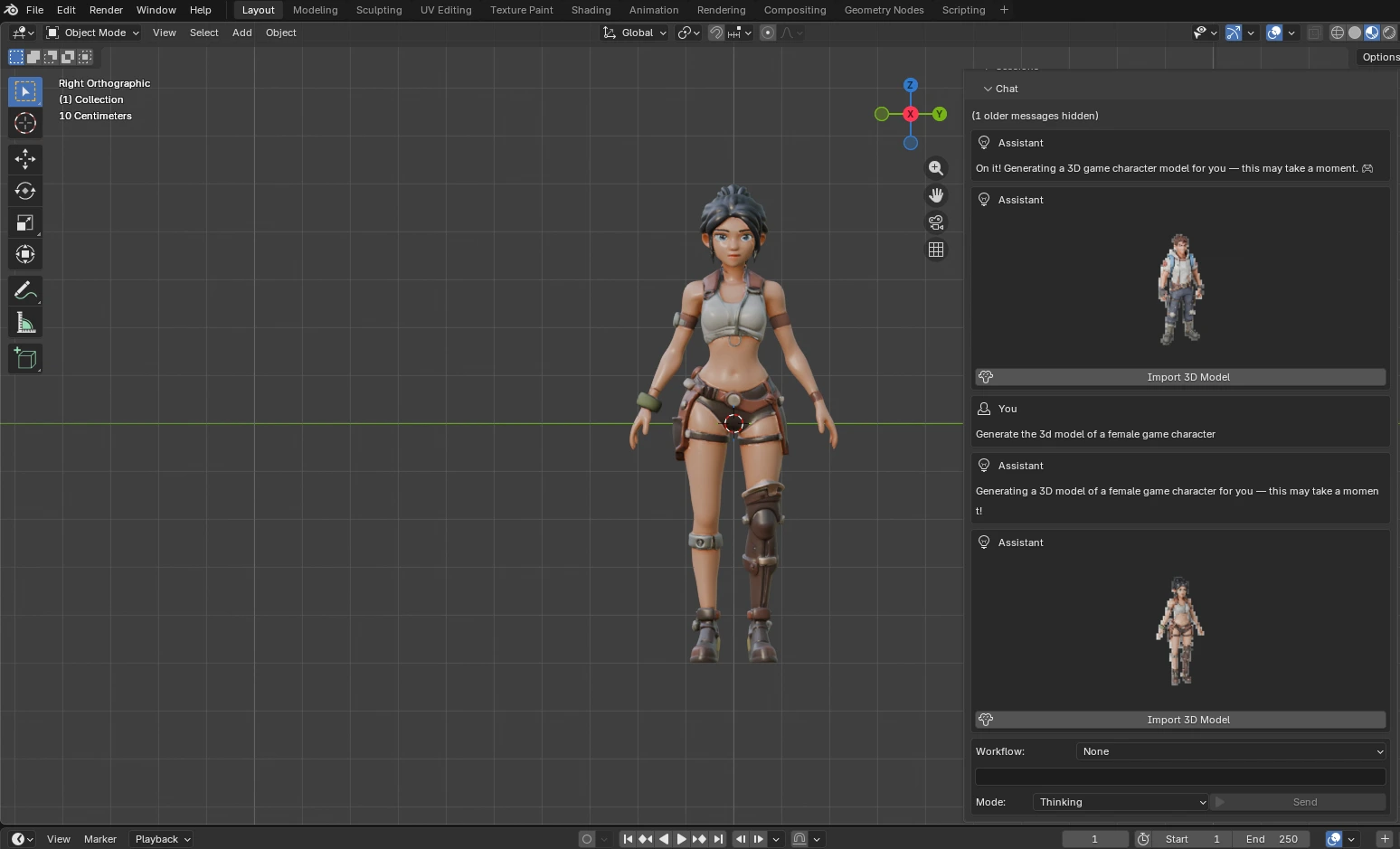
Female adventurer, generated from a text prompt and imported as a fully-textured mesh.
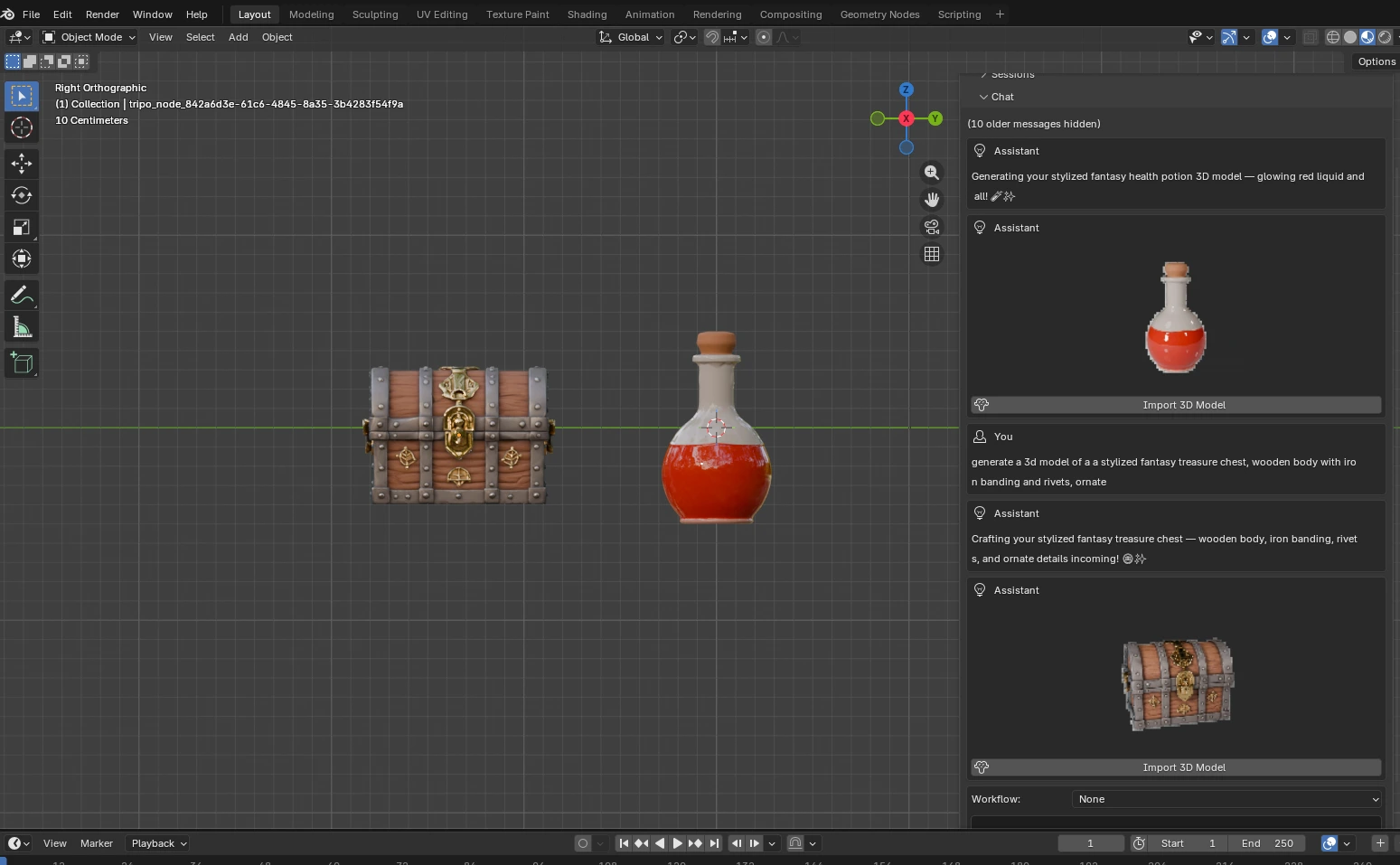
Fantasy props: health potion and treasure chest generated in one session and imported.
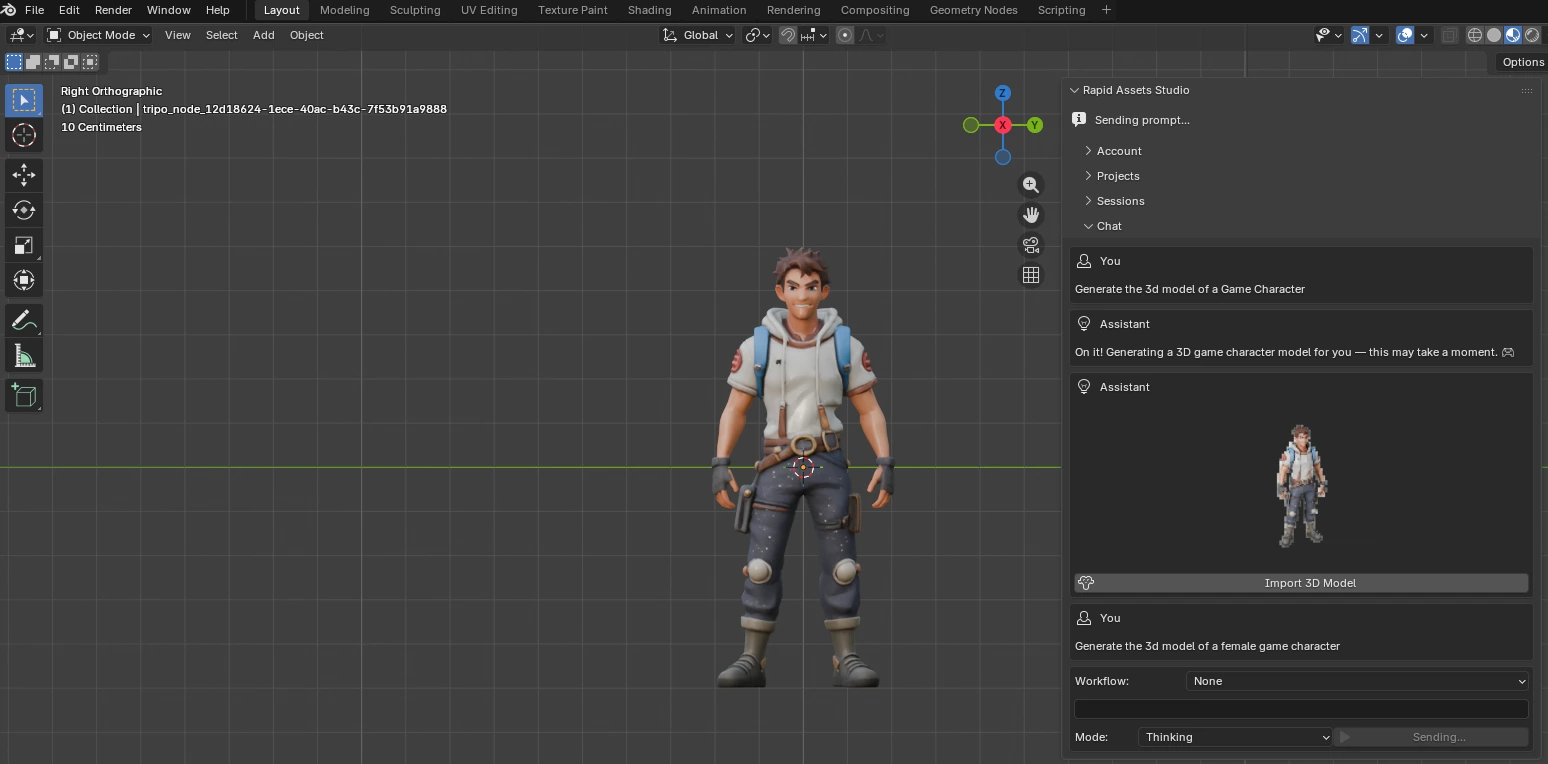
Game character in right orthographic view inside Blender, ready to rig.
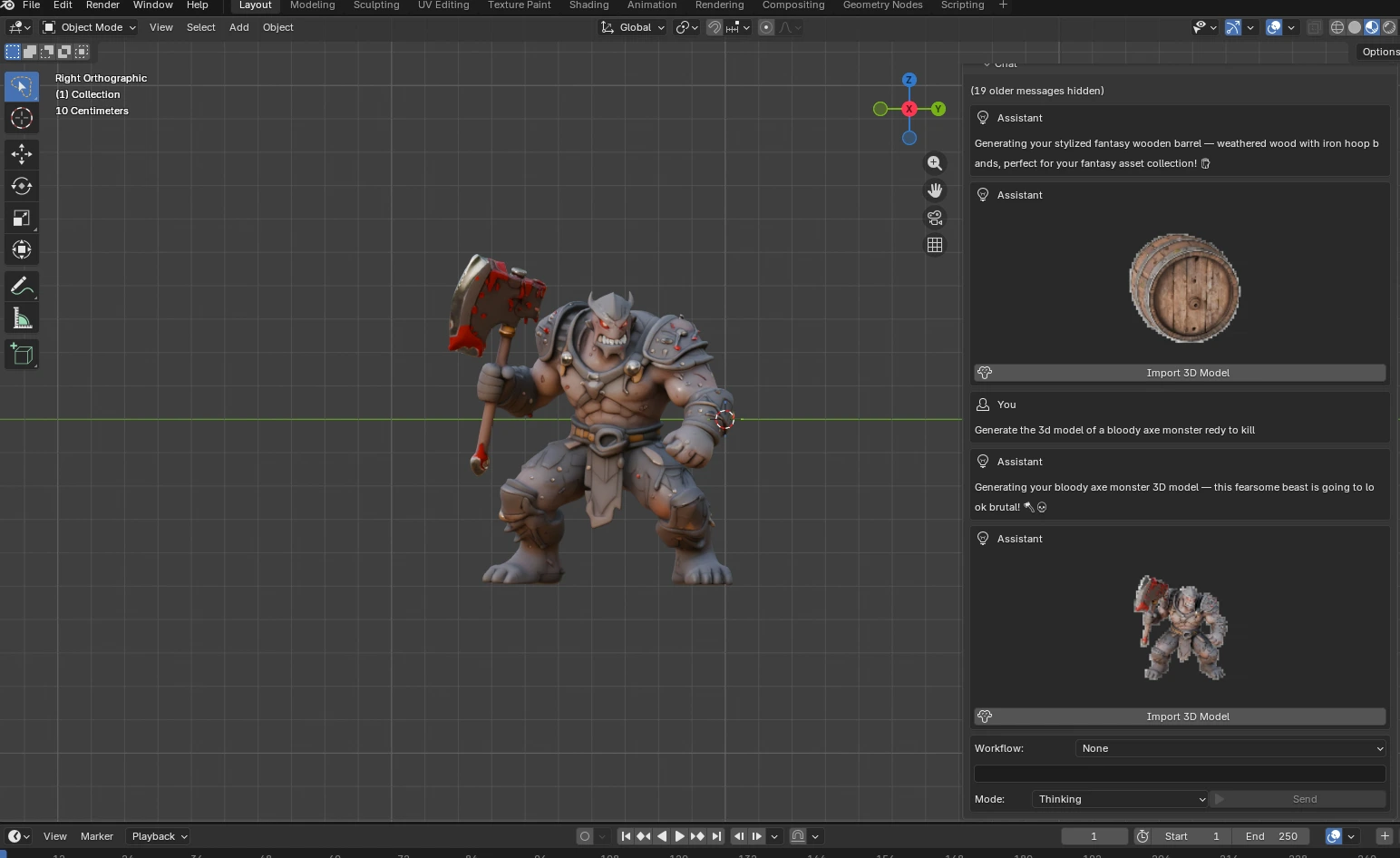
Bloody axe monster: a fully-textured enemy character generated with a single prompt.
08Inspect the models: live 3D viewers
These are the real, fully-textured GLB models, live in your browser. Click a card, then drag to orbit and scroll to zoom, exactly as they import into Blender for rigging, animation, or rendering in Cycles and EEVEE.
Generate models like these in your own scene. Free account, no card required.
09Workflow overview: six specialized pipelines
Beyond open-ended generation, Rapid Assets ships with six dedicated workflows built around the asset jobs Blender artists repeat constantly. Select a workflow, describe your subject, and let the pipeline handle the rest, with no prompt engineering required.
1. Character Turnaround
Problem: sculptors and riggers need consistent multi-angle reference before modeling a character. Solution: generate front, side, and back views of any character in one pass. Benefit: a production-ready reference sheet in seconds, perfect for sculpting and rigging reference.
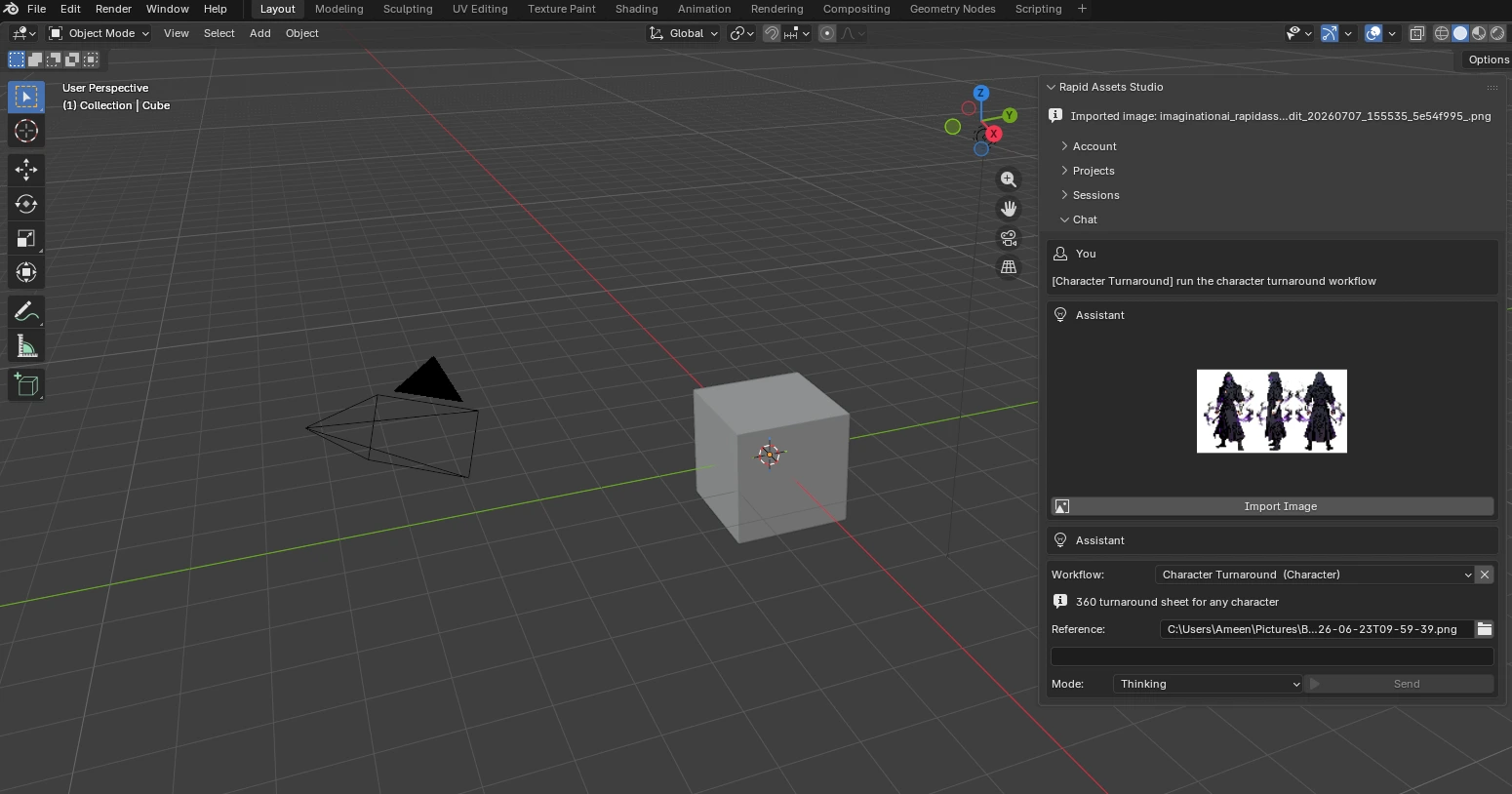
Character Turnaround: a 360° reference sheet generated from a single prompt inside Blender.
2. Background Removal
Problem: texture maps, billboard planes, and compositing references need clean transparent backgrounds. Solution: the Background Removal workflow strips backgrounds automatically and returns a crisp cut-out. Benefit: drop-in imagery with perfect alpha for Blender compositing and texturing.
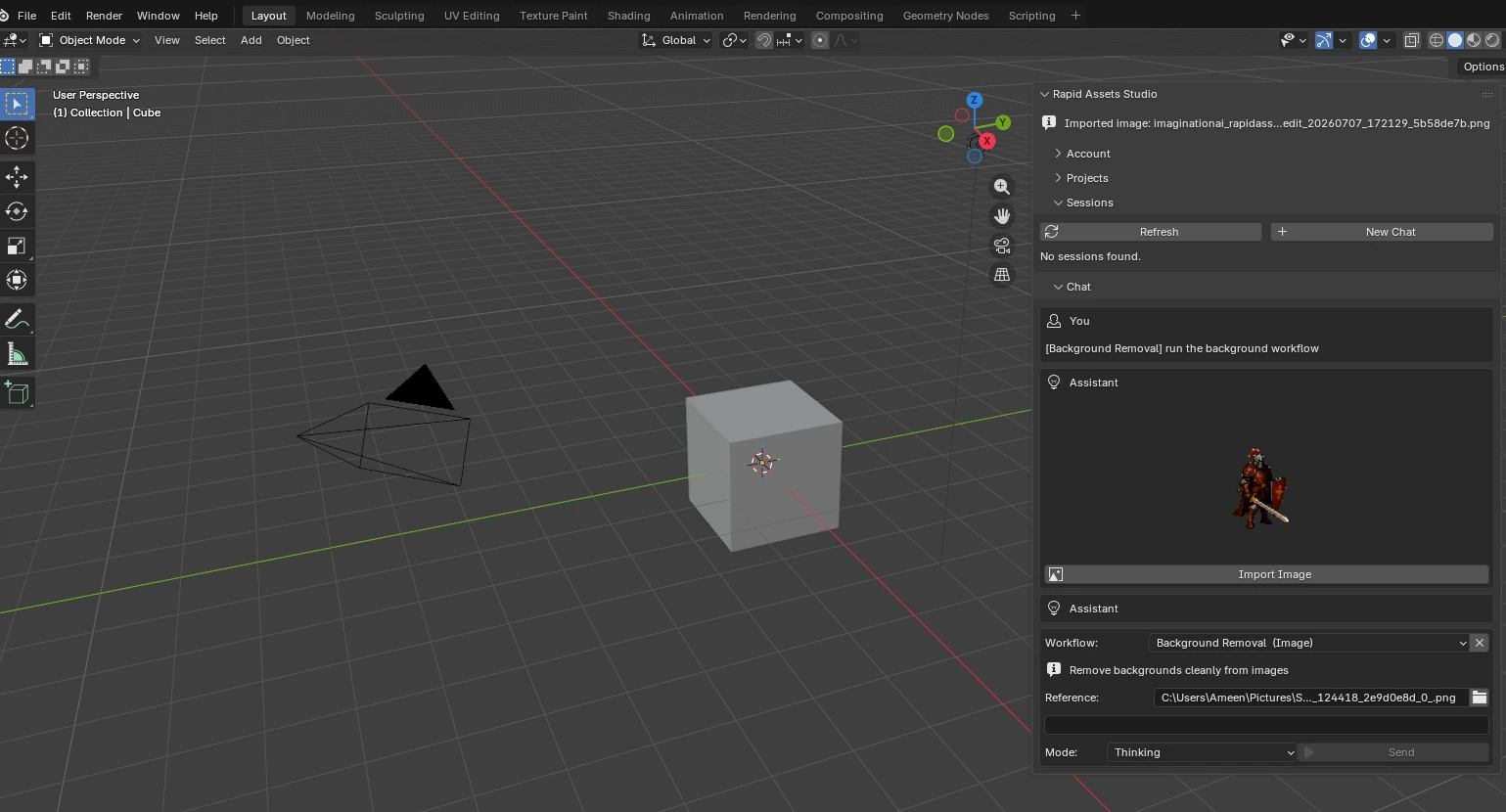
Background Removal: clean transparent cut-outs from any image, ready for Blender compositing.
3. Image Variations
Problem: a single concept is rarely enough. You need options to compare and fill out a set. Solution: Image Variations generates multiple stylistic alternatives from one source image. Benefit: explore art directions fast and build cohesive texture sets for your environments.
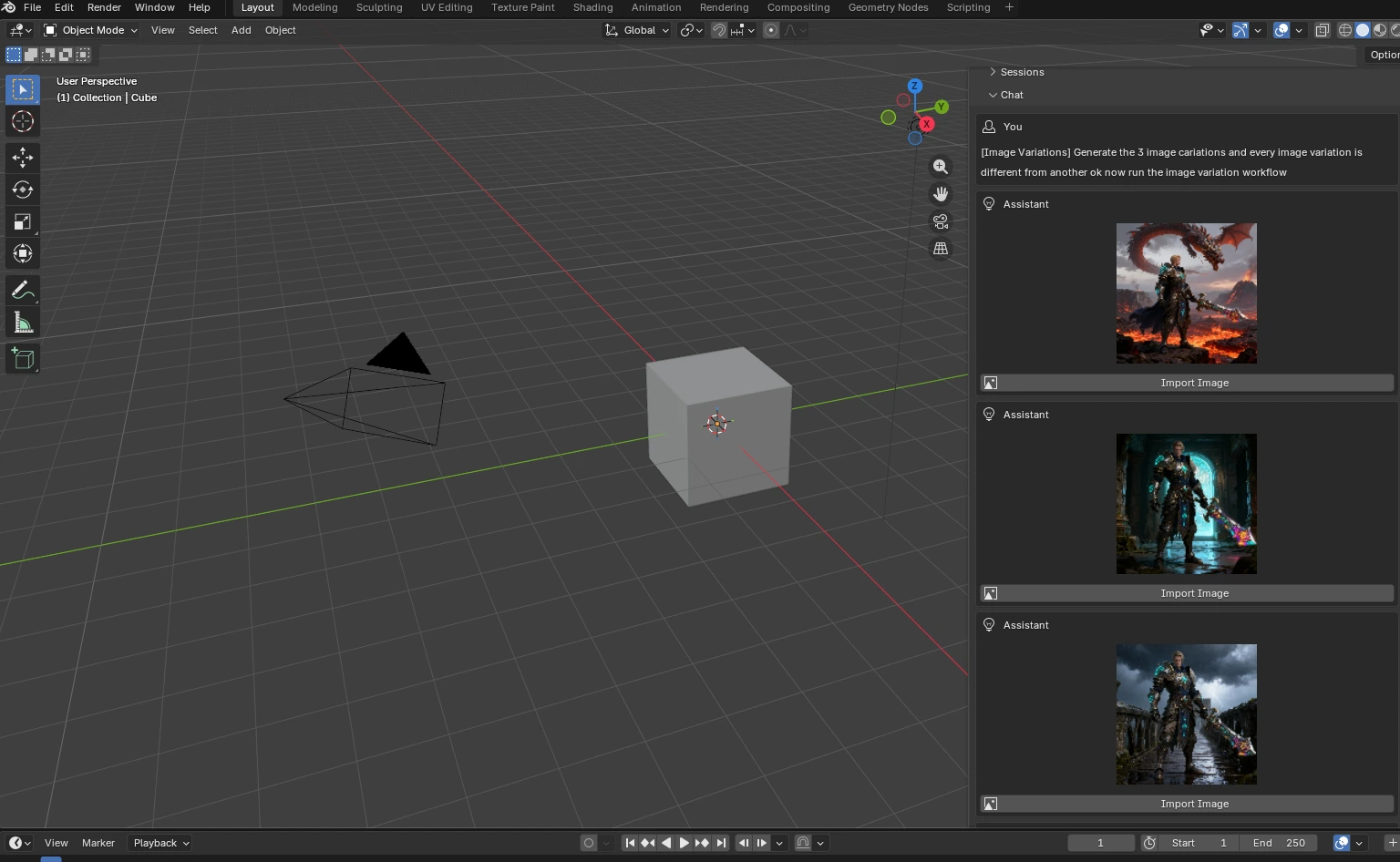
Image Variations: three distinct art-direction takes generated from a single reference image.
4. Pose Variations
Problem: animation reference sheets and rigging pose libraries need the same character in several body poses. Solution: Pose Variations generates a set of distinct poses in one pass. Benefit: build pose sets without commissioning each pose individually.
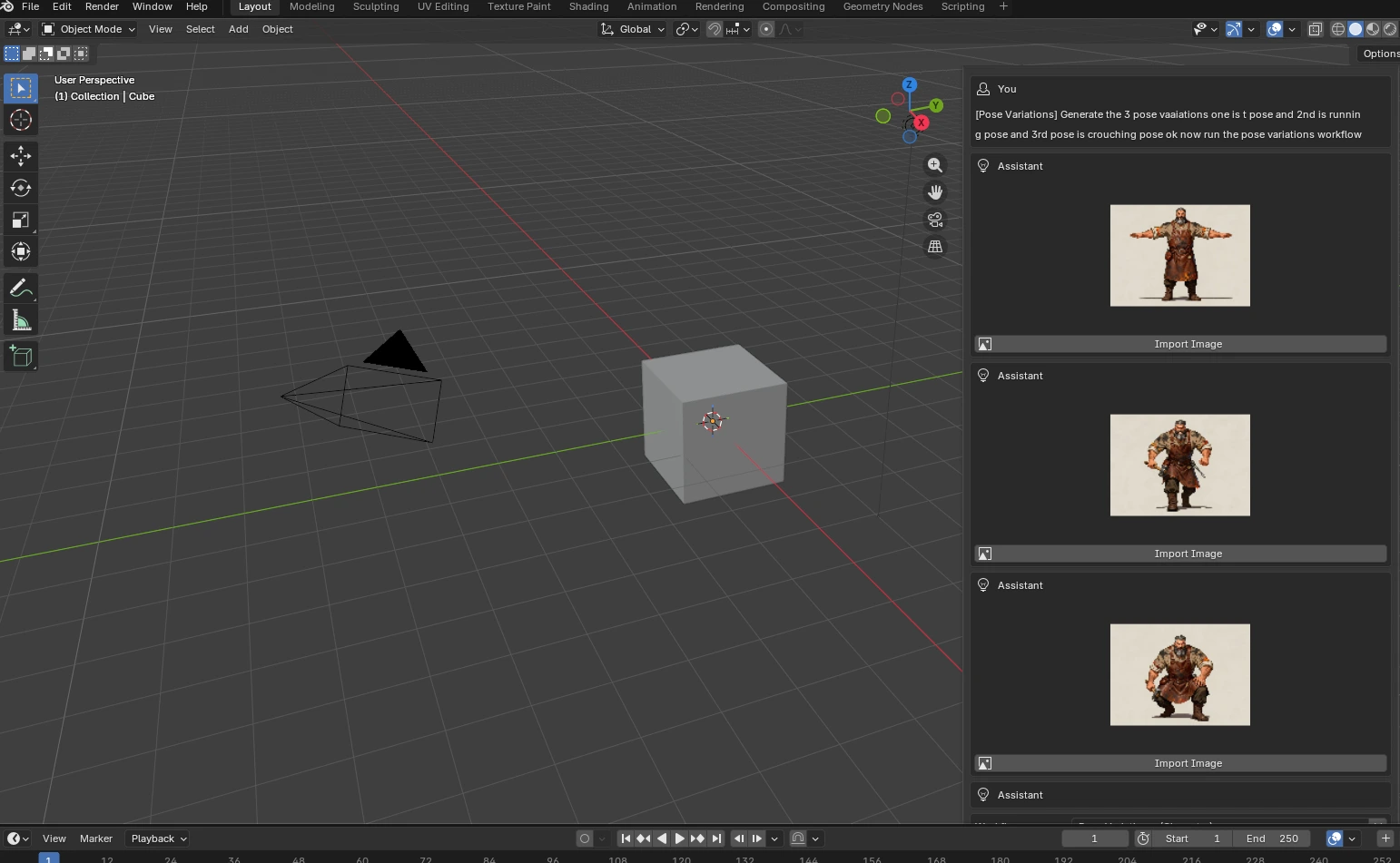
Pose Variations: T-pose, running, and crouching poses generated in one pass for rigging reference.
5. Facial Pose Sheet
Problem: expressive characters need an emotion sheet for shape key references, dialogue animation, and portrait sheets. Solution: the Facial Pose Sheet workflow produces a grid of facial expressions automatically. Benefit: a complete emotion set generated in one step.
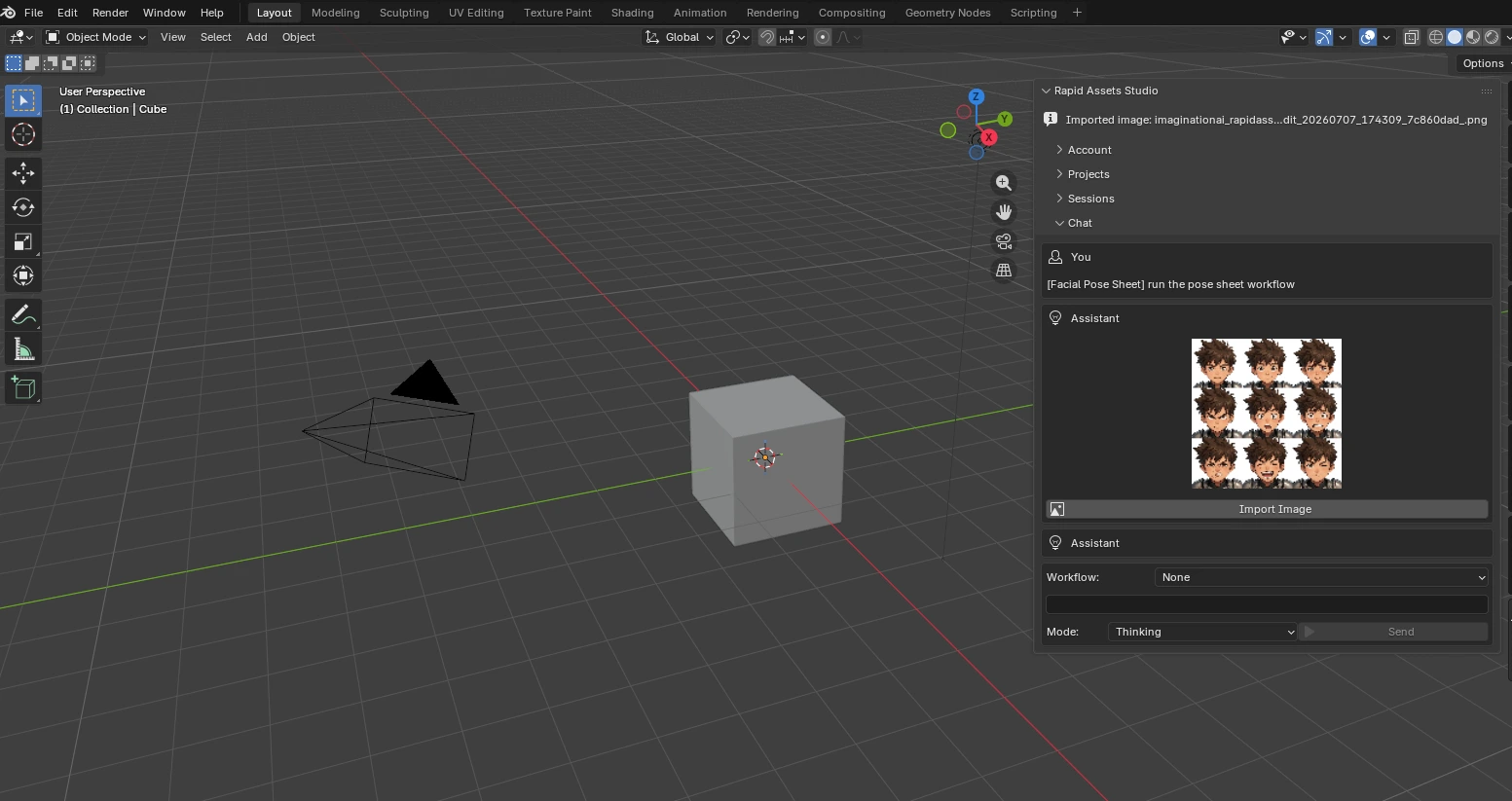
Facial Pose Sheet: a complete 3×3 expression grid for shape key references and dialogue animation.
6. Pose Transfer
Problem: you have a character you like but need them in a specific pose for a scene or animation key. Solution: Pose Transfer applies a target pose while preserving identity and style. Benefit: reuse one character design across many poses, great for animation key references before rigging.
10Who uses it: real examples
Here is how Rapid Assets fits into real Blender production at different scales.
Indie game development with Blender
Enemy character: a bloody axe monster generated and imported into Blender in seconds.
Player character: a female adventurer generated from a text prompt with textures applied.
3D animation and film production
Animation reference: a game character imported into Blender, ready to rig with Rigify.
Environment props: blockout assets generated for scene dressing.
Also a fit for
Concept Artists
Iterate on character designs, poses, and expressions without waiting on a modeler. Generate references directly in your Blender workspace.
Technical Artists
Automate repetitive asset jobs (turnarounds, expression sheets, background removal) and spend your time on high-value shader and pipeline work.
Mobile & Web Developers
Generate lightweight 3D assets and 2D textures for mobile games, WebGL projects, and interactive web experiences.
Studios & Production Teams
Unblock pre-production fast. Generate placeholder assets and reference art on demand so your team stops waiting.
The plugin is one part of the full platform. Everything it does, and more, is also available on the web at rapidassets.ai, and your projects sync across both.
11Troubleshooting
The most common setup issues and their fixes:
I enabled the add-on but can't see the panel
Press N in the 3D Viewport to toggle the side panel open, then look for the Rapid Assets Studio tab on the right edge of the panel. If it's still missing, confirm the add-on checkbox is ticked under Edit ▸ Preferences ▸ Add-ons.
Rapid Assets Studio isn't in the add-ons list after installing
Make sure you selected the downloaded .zip file itself in the Install from Disk dialog, not an unzipped folder. Search "Rapid" in the add-ons search box; if nothing appears, re-download the zip and install again.
Sign-in fails or hangs
Blender needs an internet connection to reach rapidassets.ai. If you're behind a corporate firewall or proxy, make sure rapidassets.ai is allowed. Then close and reopen the panel and try again.
I imported a model but can't see it in the viewport
Imported meshes are added to your current scene and collection. Check the Outliner for the new object, press Home (or View ▸ Frame All) to frame everything, and use Reveal in FileSystem in the panel to locate the source file on disk.
12Frequently asked questions
Yes, completely free to download and install. You only need a free Rapid Assets account to sign in and start generating. There is no purchase, no trial timer, and no paywall on the plugin itself.
Download the Rapid-Assets-Blender-PRODUCTION.zip from rapidassets.ai (do not unzip it). Open Blender, go to Edit ▸ Preferences ▸ Add-ons, click Install from Disk, select the .zip, then enable Rapid Assets Studio. Press N in the 3D Viewport to open the side panel.
Blender 4.2 LTS and above, including the full Blender 5.x series. The plugin installs as a standard .zip add-on on Windows, macOS, and Linux.
Generated models appear in the Rapid Assets Studio panel when complete. Click Import 3D Model to add the GLB mesh, with textures and Principled BSDF materials applied, directly to your current Blender scene.
Yes, assets are intended for commercial and non-commercial use. Always review the current licensing terms on rapidassets.ai for the exact, up-to-date conditions.
You might also be interested in
More guides and tools from the Rapid Assets pipeline.
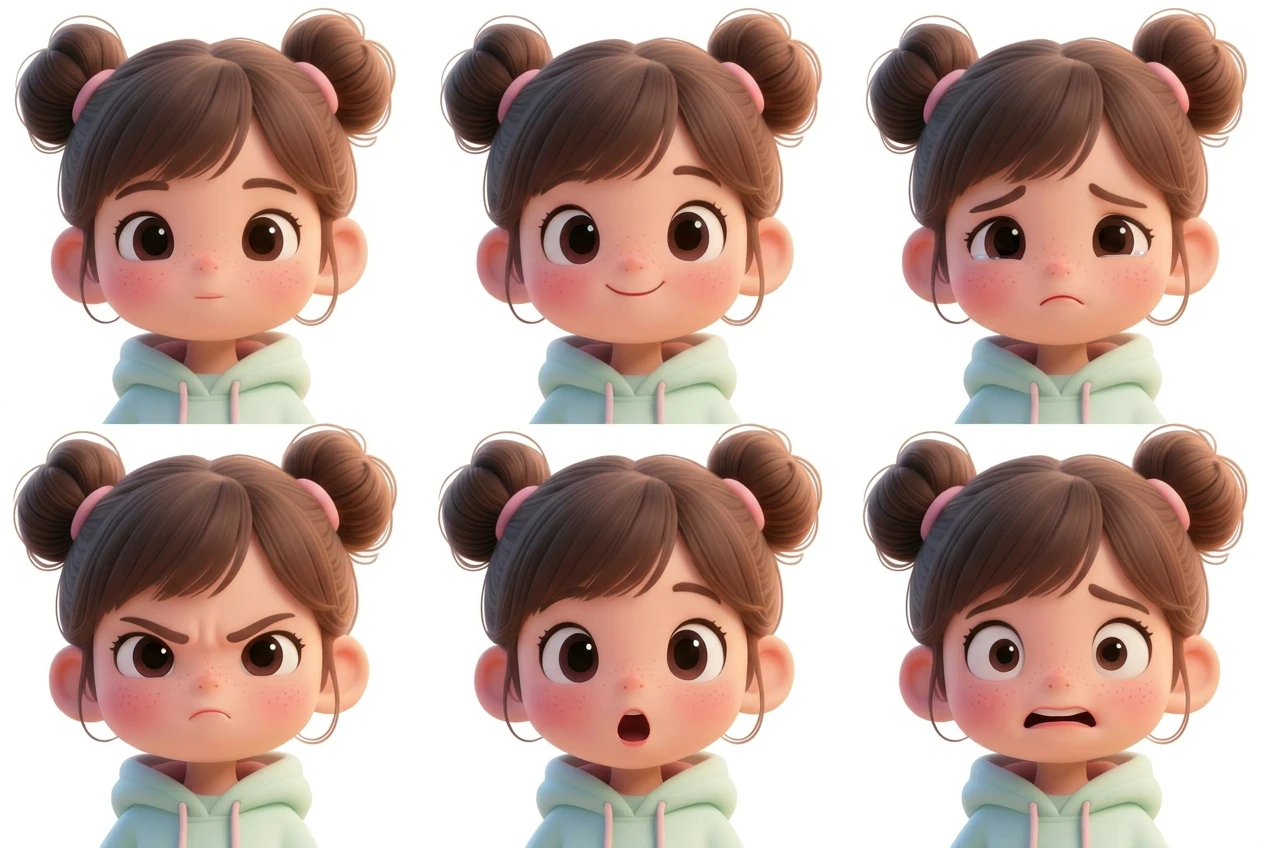
AI Facial Expression Sheet Generator
Generate a complete facial expression sheet with AI — up to 9 emotions per sheet including happy, sad, angry, surprised and more. Perfect for game characters, anime, animals and anthropomorphic designs. Free to start.
Read more →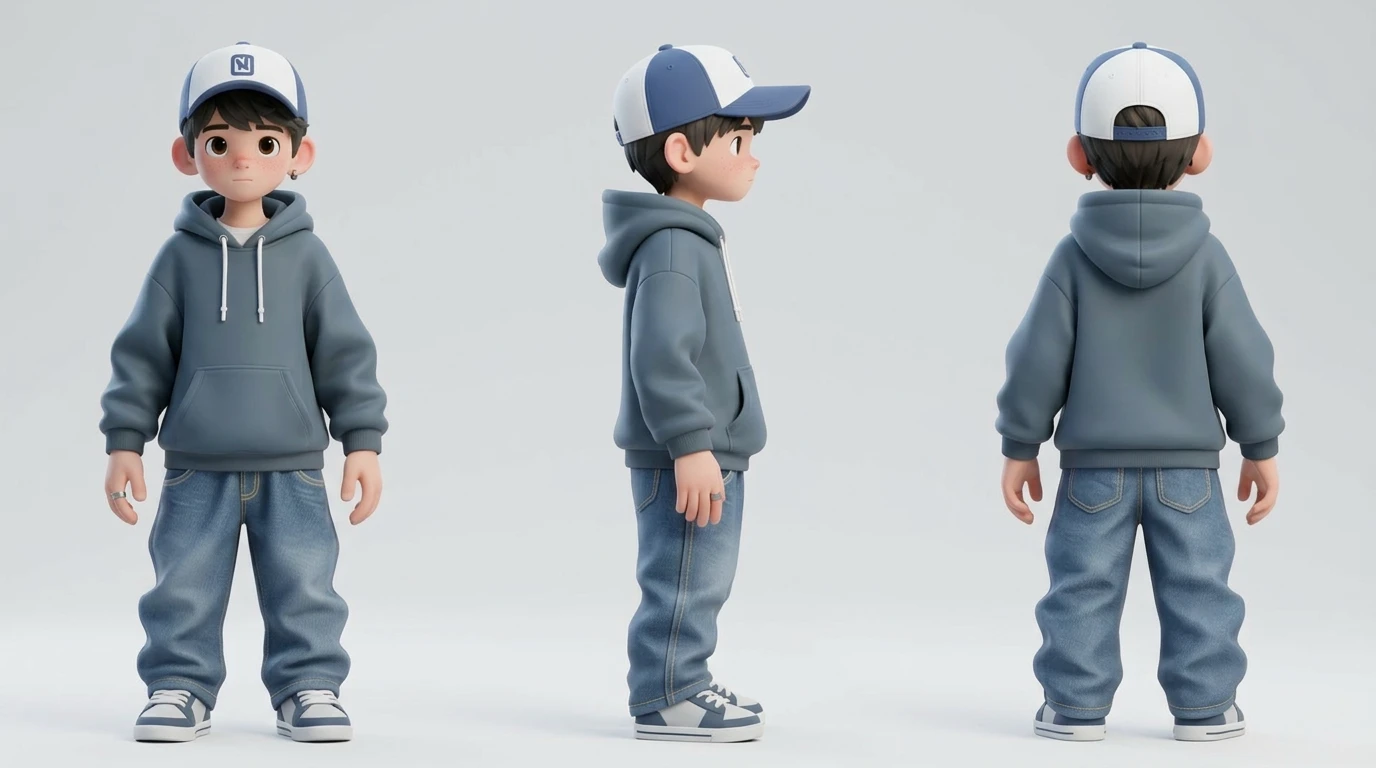
Character Turnaround Sheet Generator
Create a professional character turnaround sheet in seconds with Rapid Assets' AI. Generate consistent front, side & back views for characters, objects, animals and any image. Free to start.
Read more →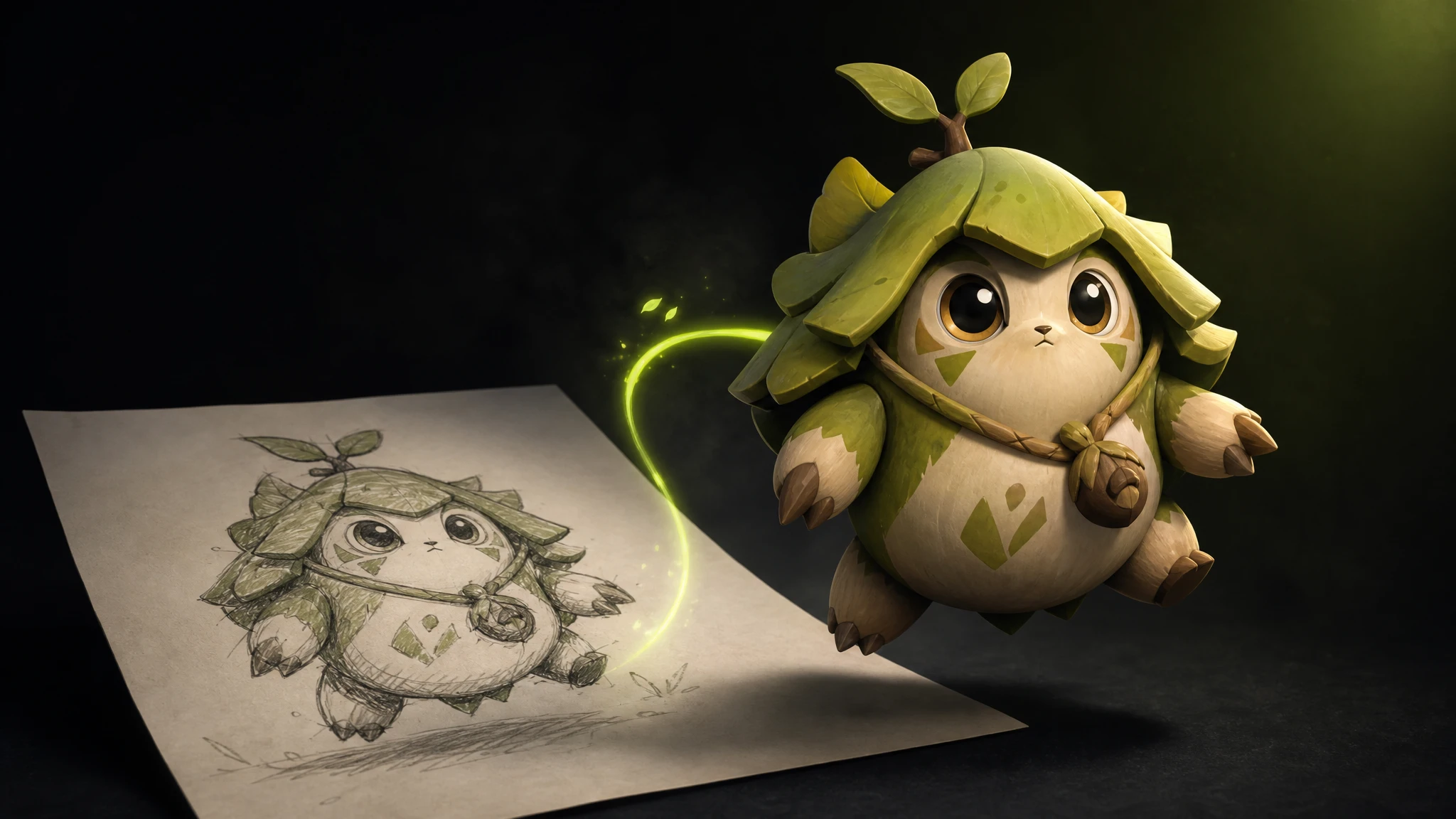
Free Image to 3D Generator
Free image to 3D generation — upload a sketch, concept art or photo and turn it into a fully textured 3D model in seconds. GLB & FBX export, PBR materials, no credit card.
Read more →
Project Sharing on Rapid Assets
Share any Rapid Assets project with a collaborator via a single link. They can browse every generation, download assets, and review your work — all without touching your settings.
Read more →
Free Text to 3D Generator
Free text to 3D generation — type a prompt and get a production-ready 3D model in seconds. Characters, creatures, props and weapons with PBR textures, GLB/FBX export. No credit card.
Read more →
Image Variation Generator
Generate unlimited AI image variations from any image — change colors, outfits, backgrounds, art style or time of day while keeping the subject identical. Free to start.
Read more →
How to Generate 3D Game Assets Using AI
Generate 3D game assets from a text prompt — characters, weapons, creatures and environments with PBR textures, quad topology, LODs and GLB/FBX export. Free to start.
Read more →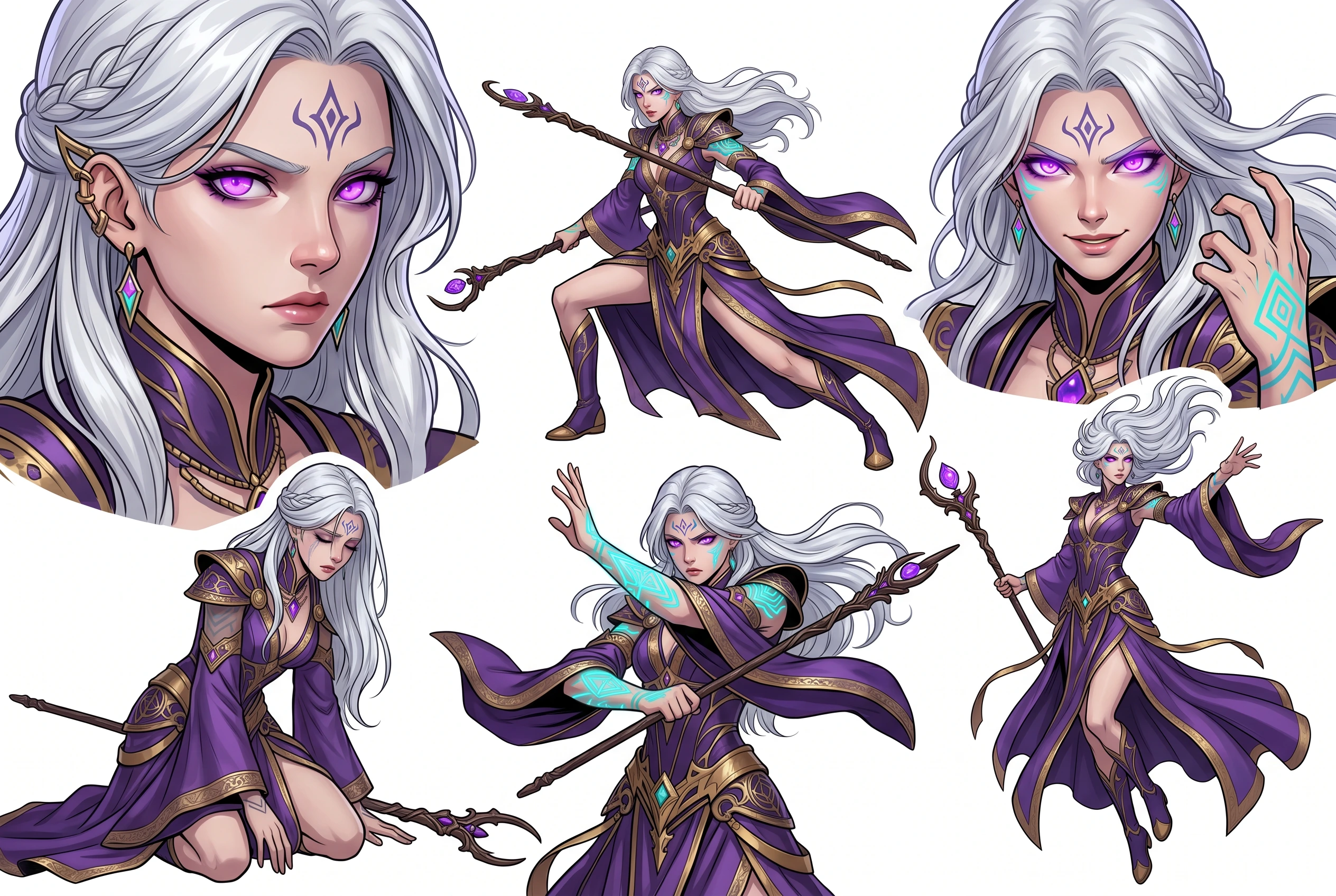
AI Pose Variation Generator
Generate up to 4 AI pose variations from any character — running, T-pose, fighting stance, crouching, jumping and more. The face, costume and art style stay identical across every pose. Free to start.
Read more →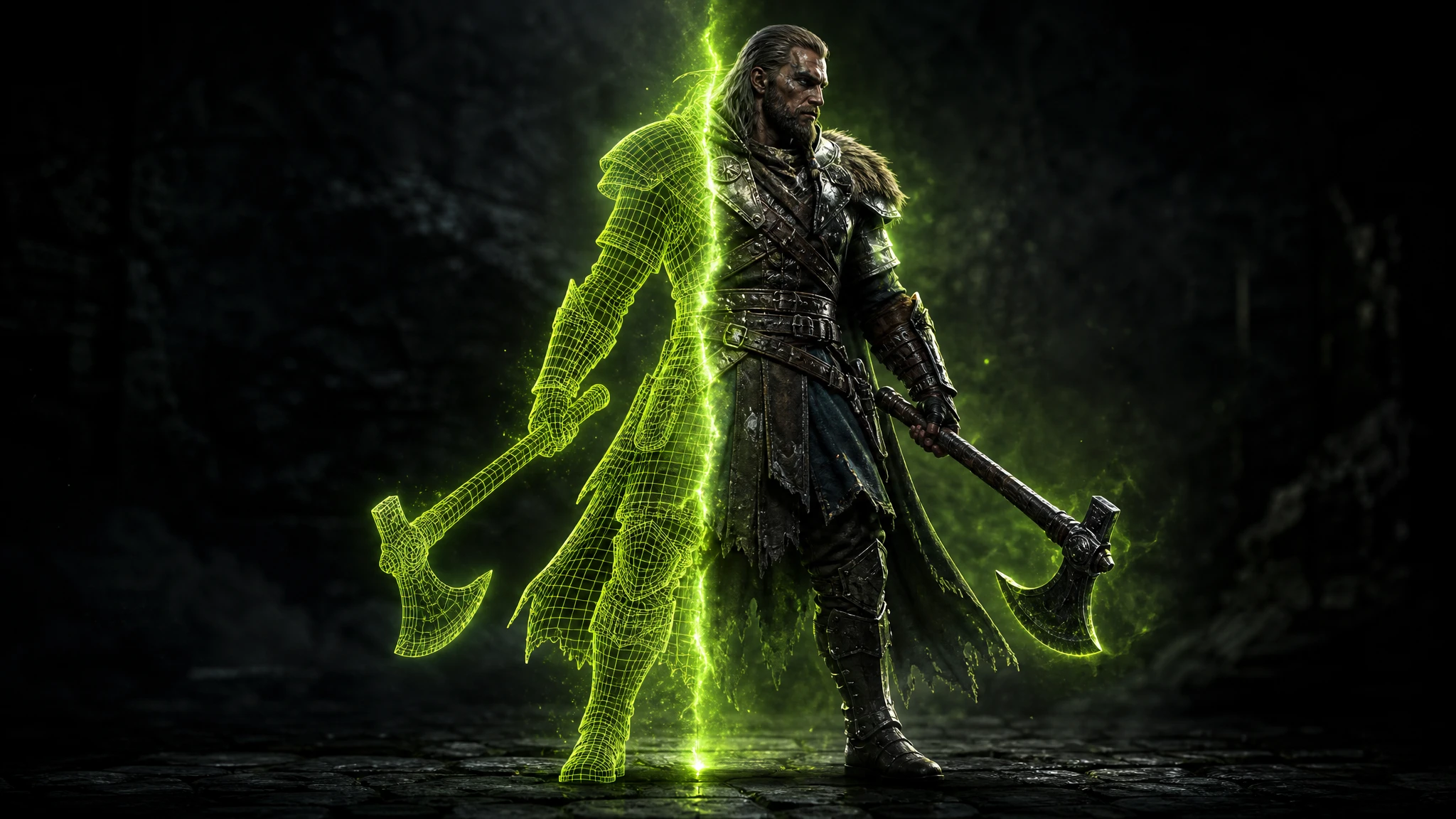
Free 3D Model Generator
Free 3D model generation — create game-ready 3D models from a text prompt or an image in seconds. Characters, creatures, props and weapons with PBR textures, quad or triangular topology, GLB/FBX export.
Read more →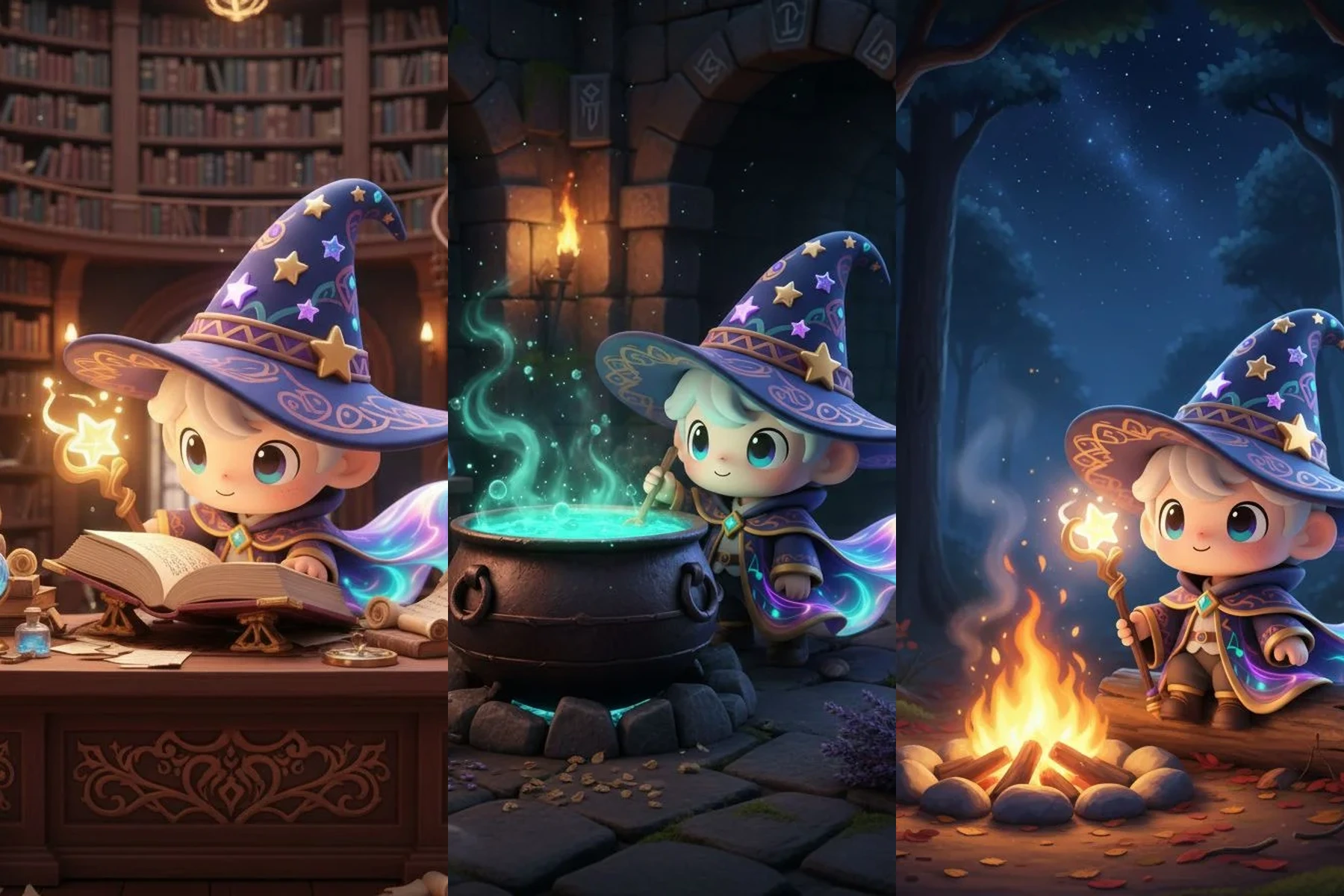
AI Consistent Character Generator
Generate one AI character and reuse it across every pose, scene, expression, turnaround and edit — the face, outfit and design stay perfectly consistent every time. Free to start.
Read more →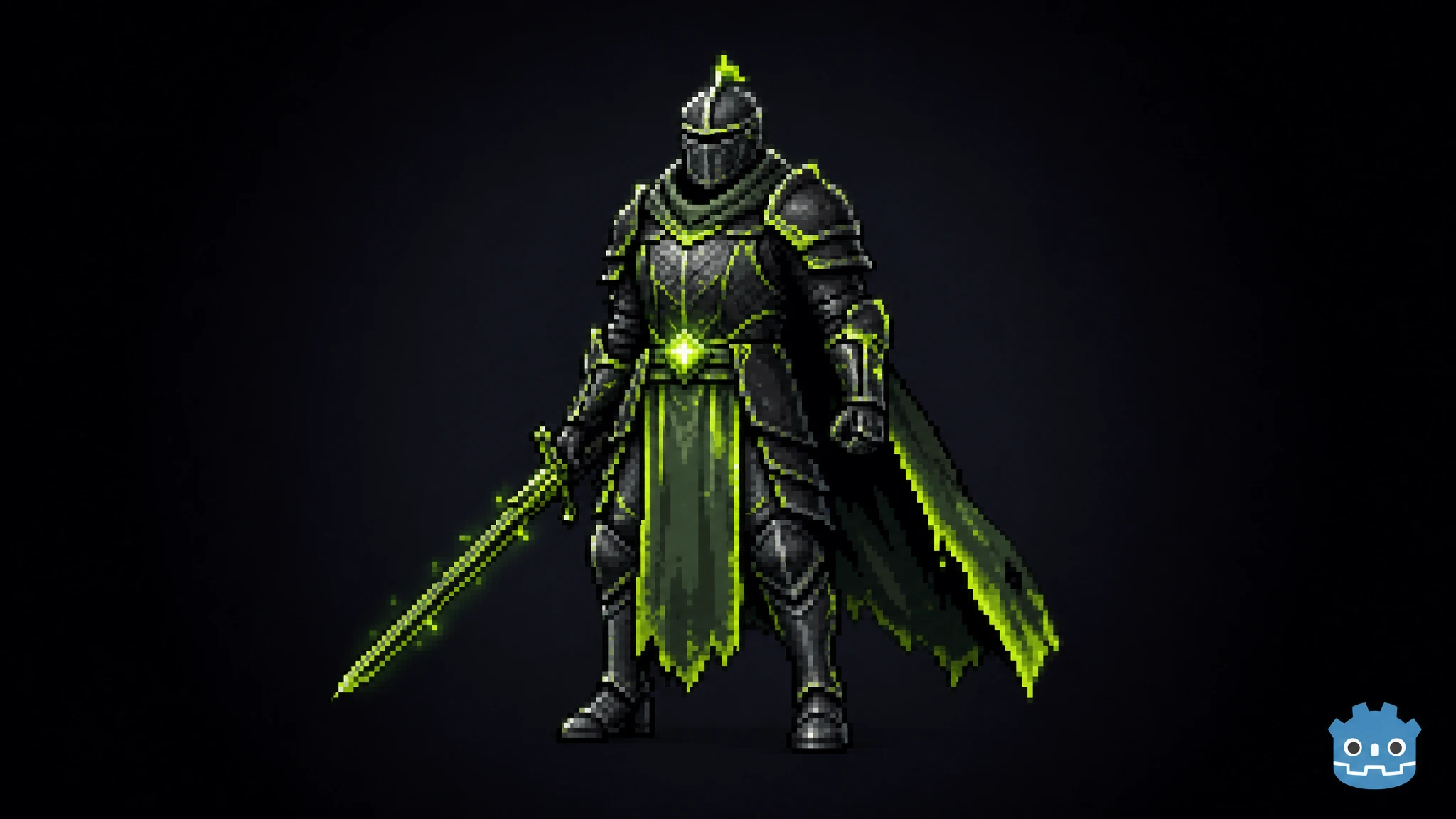
Rapid Assets Godot Plugin: Free AI Asset Generator
Rapid Assets is a free Godot plugin that generates production-ready images and 3D models from text and imports them straight into your project FileSystem.
Read more →
Rapid Assets Unity Plugin: Free AI Asset Generator
Rapid Assets is a free Unity plugin that generates production-ready images and 3D models from text, runs 6 AI workflows, and imports everything straight into your Assets folder. Built for indie devs, studios, and technical artists.
Read more →
Best Free AI Tools for Game Art in 2026
The best free AI tools for game art in 2026 — sprite sheets, pixel art generator, image to 3D model, video game art, and character turnaround. We rank 7 platforms so you know exactly what you get free before spending a dollar.
Read more →
Rapid Assets Unreal Engine Plugin: Free AI Asset Generator
Rapid Assets is a free Unreal Engine plugin that generates production-ready images and 3D models from text and imports them straight into your Content Browser.
Read more →
Best Free Meshy Alternatives for 3D Model Generation
The best free Meshy alternatives for AI 3D model generation in 2026. We rank Rapid Assets, Rodin AI, Tripo AI and Sloyd by free tier, pricing, licensing and game-readiness — so you know what you actually get before you pay.
Read more →
Consistent Game Art Style Generator
Lock one art style and generate every character, environment, vehicle and prop in that exact look — pixel art, anime, watercolor, cel-shaded cartoon and more. Perfectly consistent game art, every time. Free to start.
Read more →
Free Mythical Creature & Monster Generator
Free mythical creature and monster generator — describe a dragon, hydra, lich or eldritch horror and get concept art or a game-ready 3D creature in seconds. PBR textures, quad topology, GLB/FBX export.
Read more →
Best AI 3D Model Generator for Game Asset Creation in 2026
The best AI 3D model generator, image to 3D model converter, and best 2D to 3D ai converter for game developers in 2026. We compare 11 platforms — Rapid Assets, Meshy, Tripo AI, Kaedim and more — with pricing, pros, cons and a clear winner.
Read more →
Free Low Poly 3D Model Generator
Learn how to create low poly 3D models with AI — generate a model, then reduce it to a game-ready low poly mesh (under 20K faces). Free to start, GLB & FBX export, quad or triangular topology.
Read more →